 Abode Ikoi, Founder of Eucarl
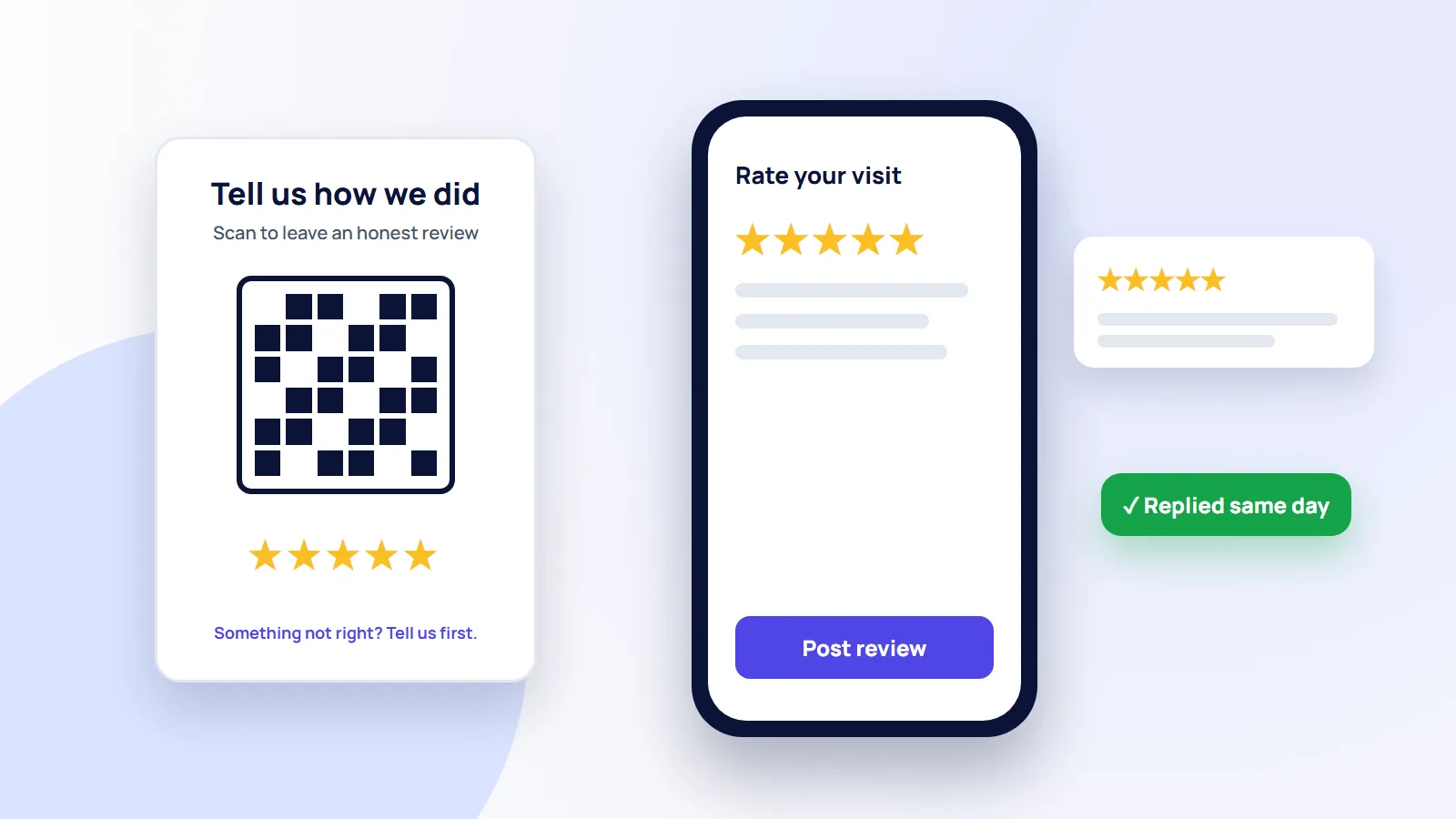
The best way to ask for Google reviews is simple: ask every customer, at the moment they're happiest, with a one-tap link, in your own words. Get your review link from your Google Business Profile, put it on a QR code at the counter and in your follow-up text or email, and use a short, honest script like: "If you have a minute later, an honest Google review really helps a small business like ours."
This guide gives you the exact steps, word-for-word scripts for the counter, text, email and receipts, the right moment to ask by business type, and the rules that keep your Business Profile safe. It also covers the part most guides skip: what to do so unhappy customers tell you first, without filtering anyone away from Google.
Why asking matters more than ever
Most happy customers never leave a review. Not because they don't want to, but because nobody asked at the right moment, in a way that took ten seconds. Meanwhile, reviews do more work than ever:
- 97% of consumers read reviews when choosing a local business, and 41% say they always read them, up from 29% a year earlier (BrightLocal, Local Consumer Review Survey 2026).
- 74% look for reviews written in the last three months. A great rating from three years ago looks like a business that has gone quiet.
- Google is still the biggest place people check, but not the only one: Apple Maps use for local reviews nearly doubled in a year (27%, up from 14%).
So the goal isn't one big review drive. It's a steady trickle of honest, recent reviews, and that only comes from asking everyone, every week.
Step 1: Get your Google review link (5 minutes)
- Sign in to the Google account that manages your Business Profile.
- Search for your business name on Google (or open the Google Business Profile app).
- In your profile panel, choose Ask for reviews (it may appear under Read reviews or Get more reviews).
- Copy the short link Google gives you. That's your review link.
- Turn it into a QR code with any free QR code generator, and test it on two different phones before you print anything.
One detail many owners miss: customers need to be signed in to a Google account to post a review (Google notes they can create one with a non-Gmail email address). That's another reason to make the link one tap: every extra step loses people.
Step 2: Ask at the high point
Timing beats wording. Ask right after the moment that went well, not three days later when the feeling has faded.
| Business | Best moment to ask |
|---|---|
| Café or restaurant | When the bill is paid or the last plate is cleared |
| Salon or barber | When the client sees the finished look in the mirror |
| Clinic or pharmacy | At checkout, about the visit, never about treatment |
| Retail | At the till after payment, or on the receipt |
| Trades and home services | When the job is finished and tested, before you leave |
| Gym or studio | After a class, or at the 30-day mark for new members |
| Online shop | In an email 3 to 7 days after delivery |
Step 3: Use the words (copy-and-paste scripts)
Every script below does two things: it invites an honest review, and it opens a door for the customer to tell you if something wasn't right. Change a few words so it sounds like you.
At the counter (10 seconds)
"Thanks so much for coming in. If you have a minute later, an honest Google review really helps a small business like ours. Here's the QR code. And if anything wasn't right today, I'd rather hear it from you now so we can fix it."
Service businesses (after the result)
"You're all set. If you're happy with how it turned out, would you mind leaving us a quick review? This card has a QR code. And if there's anything you'd change, tell me now; I'd love the chance to fix it."
Trades (end of the job)
"That's tested and working. If you get a minute, a review on Google helps us a lot; I'll text you the link. And if anything isn't right over the next few days, call me directly on this number."
Text message (send within 2 hours)
Hi [first name], thanks for choosing [business] today. If you have 30 seconds, an honest review would mean a lot: [review link]. And if anything wasn't right, reply here and I'll sort it. [Your name]
Email (orders and appointments)
Subject: How did we do, [first name]?
Thanks for your order. If you have a minute, we'd be grateful for an honest review: [review link]
If anything wasn't right, just reply to this email. It comes straight to me, and I'll fix it.
[Your name], [business]
Receipt or invoice line
"Tell us how we did: honest reviews help small businesses → [QR]. Something not right? Tell us first: [feedback link]."
Follow-up (once only)
Hi [first name], just a gentle reminder in case it got buried: if you have a moment, an honest review helps us a lot: [review link]. No worries if not, and thanks again for coming in.
Send one reminder at most, a few days later. More than that starts to feel like pressure.
Step 4: Put the link where people already look
- A counter card at the till or reception: review QR on one side, your private "tell us first" QR on the other.
- Your receipts, invoices and booking confirmations.
- Your follow-up text or email, sent the same day.
- Your website's contact page and email signature.
- Table tents in cafés and restaurants (see our guide to QR code feedback for restaurants for printing sizes and wording).
The rules: what Google and the law don't allow
Getting this wrong can cost you reviews, or your whole profile. In plain English:
| Don't | Why | Do instead |
|---|---|---|
| Offer a discount, freebie or prize draw for a review | Google treats incentivised reviews as fake and misleading content and strictly prohibits them | Ask for nothing but honesty. If you run an offer, never tie it to a review |
| Ask only the customers who look happy | Google's policy bars businesses from selectively asking for positive reviews | Ask every customer, the same way |
| Send happy customers to Google and unhappy ones to a private form ("review gating") | Discouraging negative reviews is against Google's policy; in the US the FTC's consumer reviews rule also targets review suppression | Give everyone the review link and a private way to reach you |
| Say "leave us 5 stars" | It tells customers what to write | "An honest review would really help" |
| Let staff, family or friends review you | Conflict of interest; these reviews get removed | Have them ask customers instead |
| Set review targets for staff | Targets push people to ask only the happy-looking customers, which is gating by accident | Measure whether people asked, not how many reviews came in |
This is general information, not legal advice. Check the current Google policies and the rules in your country and industry.
Hear it first (without filtering anyone)
Most unhappy customers never complain. They just don't come back, and a review is often the first time you hear about the problem. The fix is not to hide the review link from them. It's to give everyone a second, private option alongside it: a short form, a text number or a QR code that comes straight to you.
When someone uses it, reply within 24 hours, fix what you can, and tell them what you changed. Customers who are heard and helped often go on to leave a fair review anyway. Our guides on collecting customer feedback and acting on customer feedback show how to set this up with free tools.
Reply to every review you get
Asking brings reviews in; replying keeps the next customer reading. BrightLocal's 2026 survey found 19% of consumers expect a reply the same day, up from 6% a year before, and half are put off by generic, templated replies. For a positive review, thank them by name, mention one detail, and give them a reason to come back. For a negative one, recognise the detail, own your part in one sentence, say what you changed, and invite them to talk offline. Our guide on responding to negative customer feedback has full examples.
A 10-minute team huddle
- Why (2 minutes): most people choose us, or don't, after reading reviews, and most happy customers never write one because nobody asks.
- The rules (2 minutes): ask everyone the same way, no offers for reviews, never ask for 5 stars, never review us yourselves, no targets.
- The words (3 minutes): read the counter script aloud; everyone practises once with the person next to them.
- The open door (2 minutes): if a customer says something went wrong, thank them, don't argue, and pass it on to the manager the same day.
- Questions (1 minute).
How to tell if it's working
- New reviews per month, and your average rating, checked monthly, not weekly.
- Share of reviews replied to within 48 hours. Aim for all of them.
- Private "tell us first" messages. In the first months, more is good news: it means people trust the channel.
- Repeat issues. Anything mentioned twice in a month is worth fixing first.
If you'd like help with the private side, Eucarl (the publisher of this blog) gives every customer a QR code for private feedback and alerts you when something goes wrong. It's optional: everything in this guide works with free tools.
FAQ
How do I ask customers for a Google review?
Ask in person at the moment they're happiest, hand them a QR code or send your review link by text or email the same day, and keep it short: "an honest Google review really helps a small business like ours."
Where do I find my Google review link?
In your Google Business Profile: search for your business while signed in as the manager and choose "Ask for reviews" (or "Get more reviews"), then copy the short link.
Can I offer a discount for a Google review?
No. Google prohibits offering incentives such as free or discounted goods in exchange for reviews, and treats those reviews as fake and misleading content.
Is it OK to only ask happy customers?
No. Google's policy bars selectively asking for positive reviews. Ask every customer the same way, and give everyone a private way to raise problems too.
How many times should I ask?
Once in person or in your follow-up, plus one gentle reminder at most.
What should I say when asking for a review by text?
"Hi [name], thanks for choosing [business] today. If you have 30 seconds, an honest review would mean a lot: [link]. And if anything wasn't right, reply here and I'll sort it."
Do customers need a Google account to leave a review?
Yes. Google says customers must be signed in to a Google account to post a review; they can create one with a non-Gmail email address.